Subscription Management
This section provides an over view on managing your subscriptions including updating payment details and subscription cancellations.
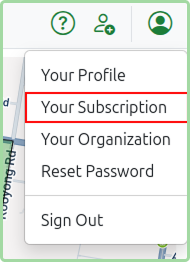
Modifications to your subscriptions such as updating payment details or cancelling subscriptions can be done in the Subscriptions section of MarketBuddy. To access Subscriptions you can click on the Your Subscriptions menu item under the user menu on right in the top navigation.
Accessing the Billing Portal
The billing portal will allow you to:
- Update credit card details.
- Add new payment methods.
- View Invoice History
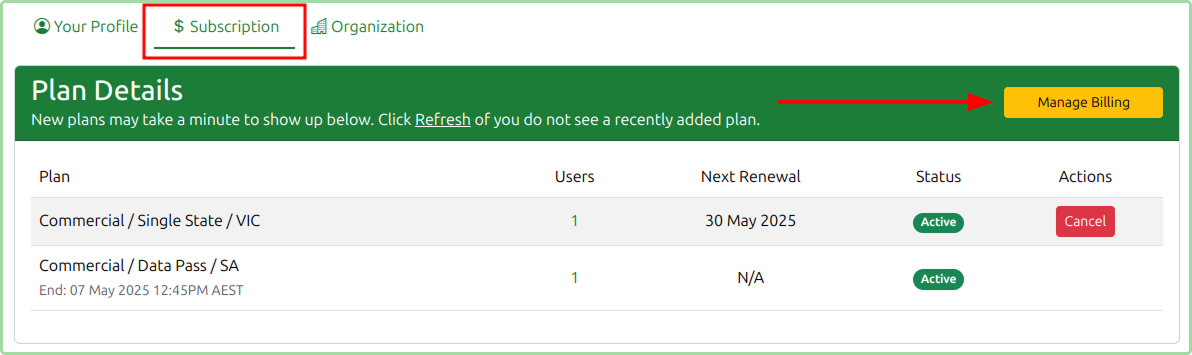
To access the billing portal click the Manage Billing button in the Subscription section.
Updating Credit Card Details
In order to update the credit card details you need to access the Billing Portal (as mentioned above) via the Subscriptions page.
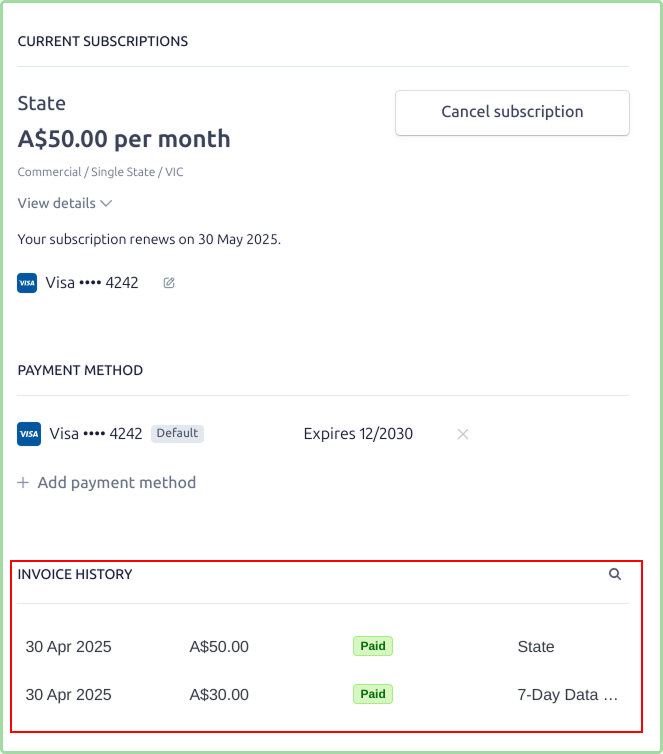
Referring to the below screenshot you can update Credit Card details on the per plan basis and add new payment methods.

Accessing Invoice History
To access the invoice history you need to access the Billing Portal (as mentioned above) via the Subscriptions page.
Invoice History will appear under your Current Subscriptions.
Cancelling a Subscription
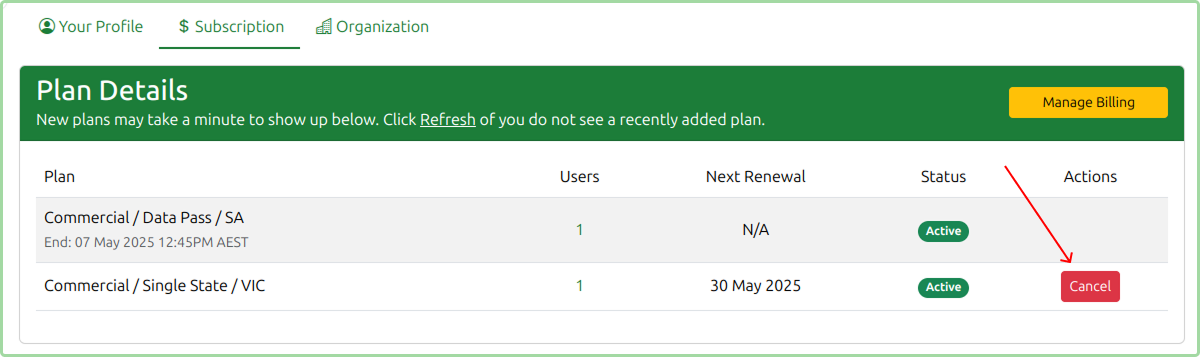
To cancel a subscription you can go to the Subscriptions section and use the Cancel button in the Plan Details section.
When you cancel your subscription, you’ll continue to have full access to all features and your data until your current billing period ends. After this date, your subscription will automatically expire and you will not be charged again.
Please note: We do not offer refunds for unused time on your subscription. You can continue to use MarketBuddy until your subscription runs out, and no further payments will be taken after that point.