Feature Overview: Searching
A quick overview of MarketBuddy's search functionality - by suburb or street address.
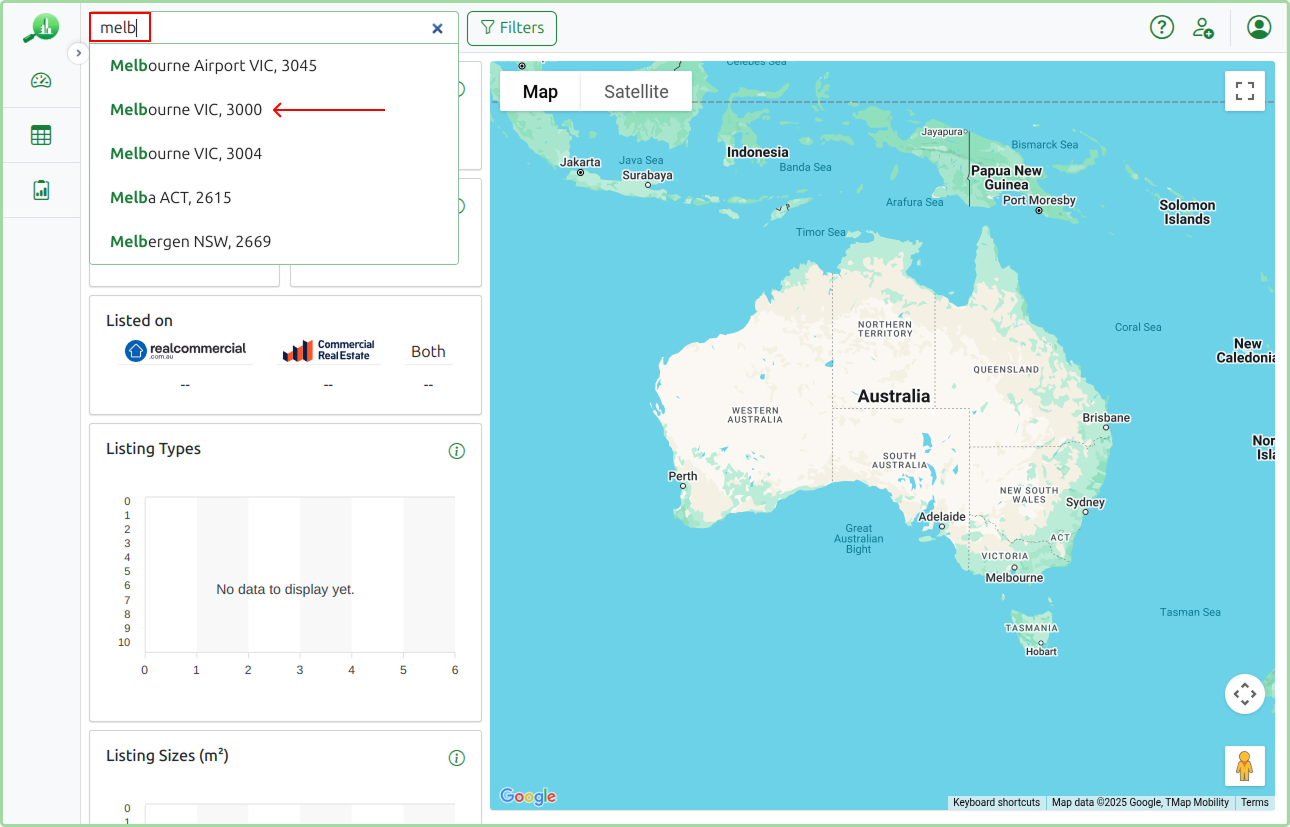
MarketBuddy provides easy search functionality that allows you to quickly get insights for any Australian Suburb, or for the area around a specific street address. Once logged in simply start typing the name of the Suburb that you are interested in, in the Search Box in the navigation bar. As you type MarketBuddy will give you suggestions based on what you have typed so far. The autocomplete functionality works just like a Google Search only for suburbs.
You can select the suburb from the drop down list and immediately get access to data for that suburb. You can then use the Filters menu to narrow down your search.
Prefer to start from a property instead of a suburb? Type a street address into the same Search Box and MarketBuddy will search around it - see Searching Around an Address below.
Practical Example: Searching for Listings in Melbourne
In the below example we are going to search for listings in Melbourne CBD we are then going to narrow down the search to Retail listings under 50m².
We start by typing melb in the search box and then selecting Melbourne VIC, 3000 from the drop down list.
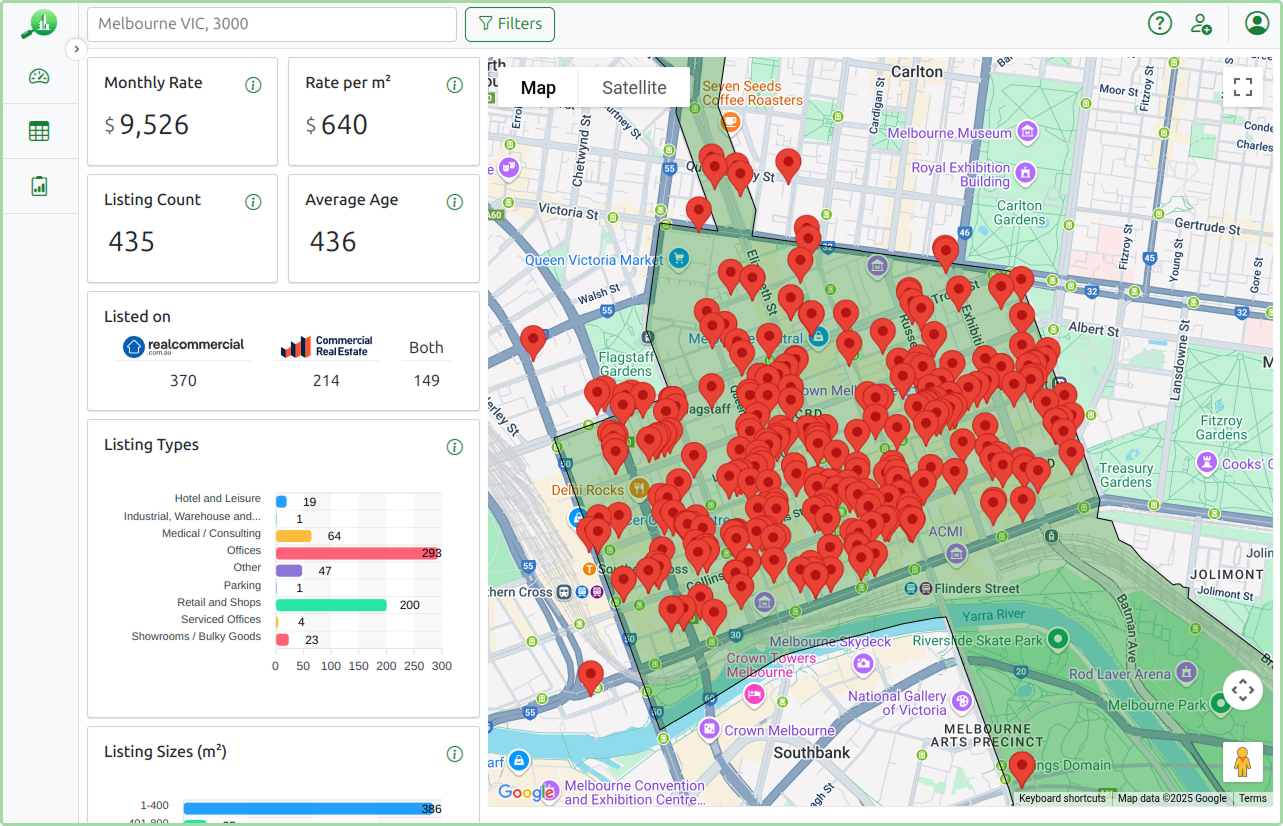
This gives is an overview of all the listings currently for lease in Melbourne CBD.
Filtering Listings
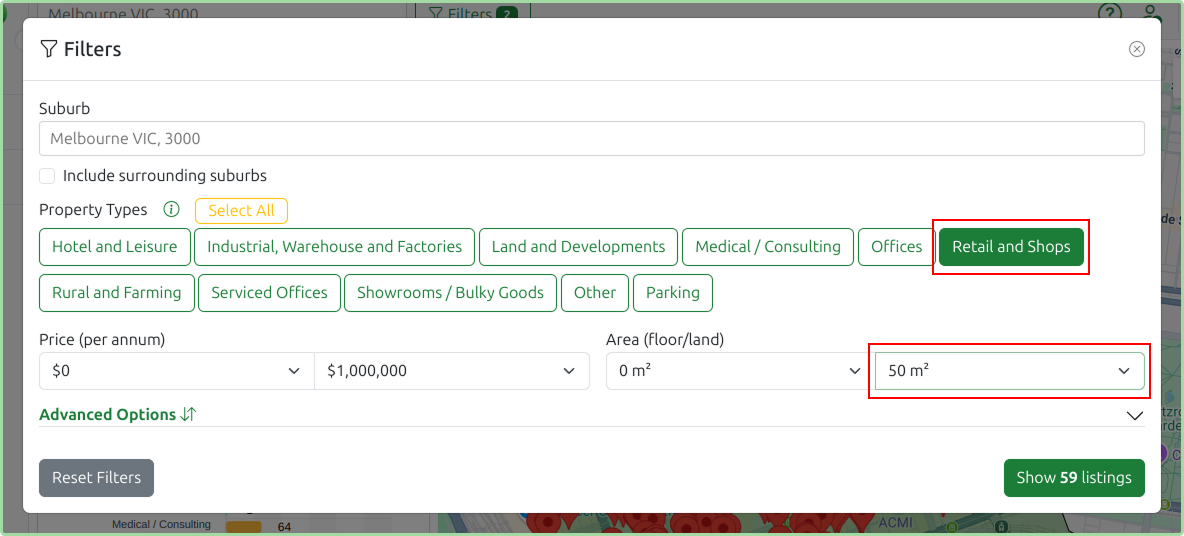
While it’s useful to see all available listings, MarketBuddy truly excels at helping you narrow down the results to exactly what you need. Let’s use the Filters link to quickly exclude listings that aren’t relevant to our search. Click the Filters button on the right of the search box and apply the filters as per the below screenshot.
- Click Clear All next to Property Types
- Select Retail and Offices under Property Types
- Select 50m² in the second box under Area (floor/land)
- Click the Show X listings button.
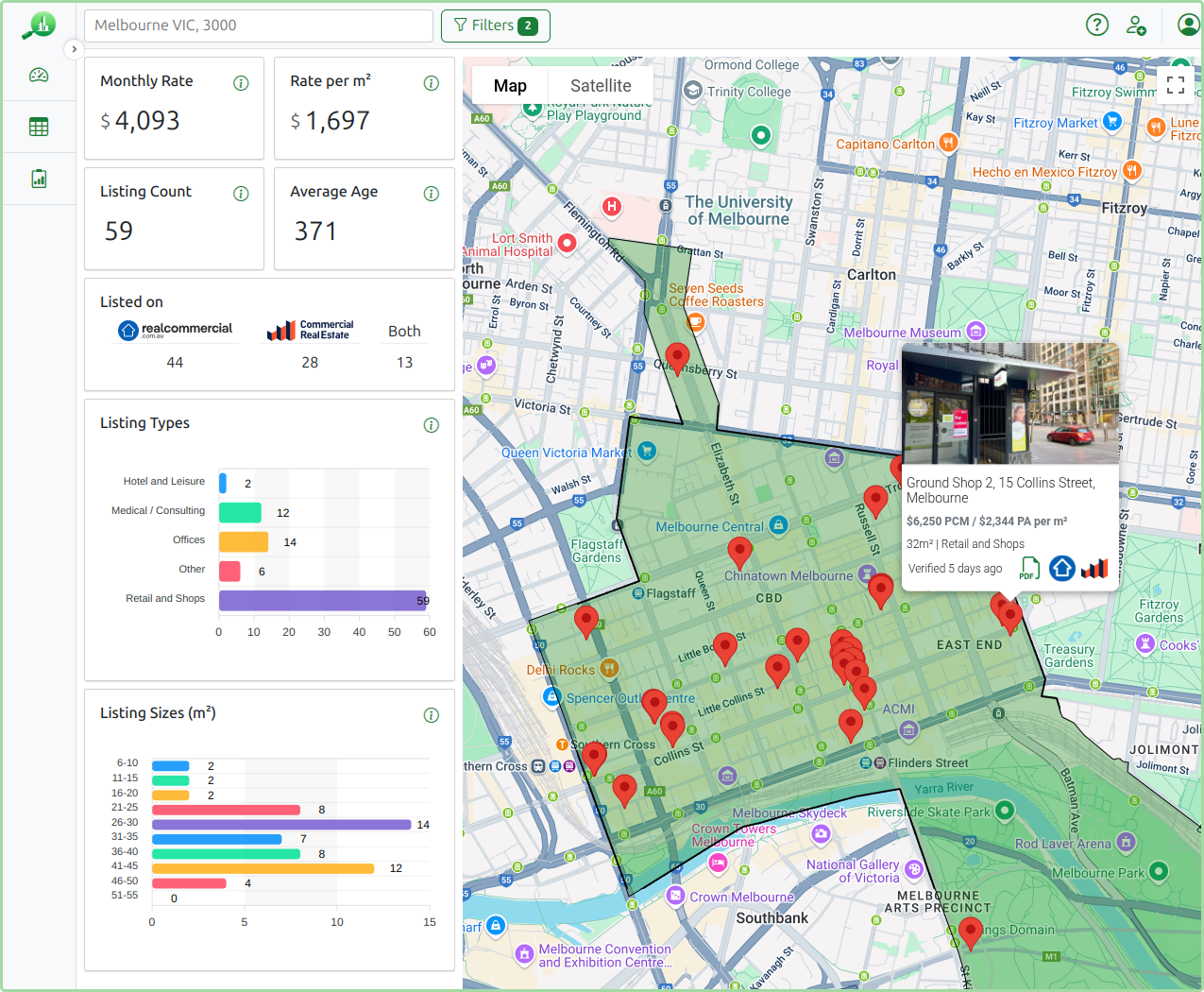
Once the filters have been applied the results will instantly update to show only the listings that match your specific needs. This makes it much easier to focus on the most relevant properties and provides clearer, more precise data points to work with.
Searching Around an Address
Sometimes you don't want a whole suburb, you want to know what the market looks like around a specific property. The same Search Box handles that too: type a street address instead of a suburb name and MarketBuddy will suggest matching addresses as you type, powered by Google's address lookup.
In this example we type 300 Collins St and MarketBuddy offers the matching addresses to choose from.
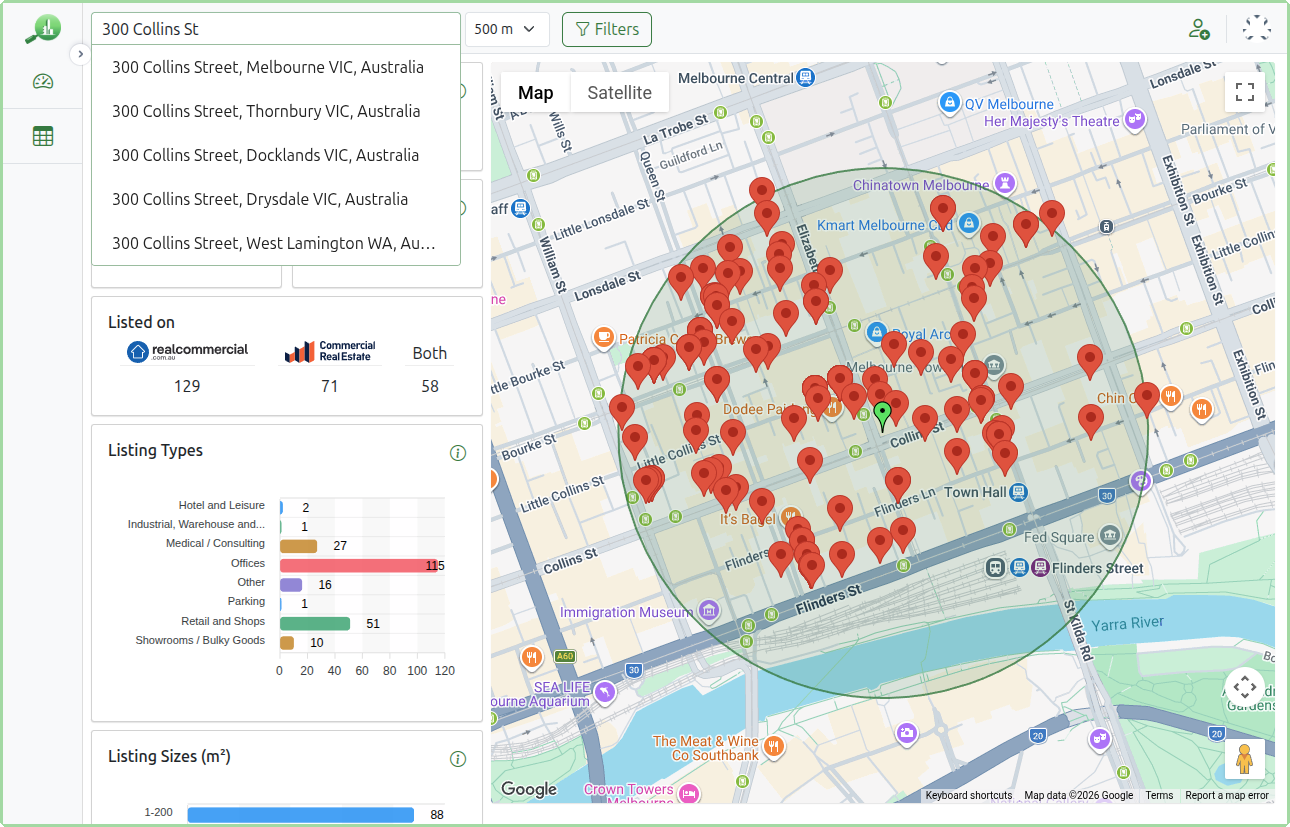
Select 300 Collins Street, Melbourne VIC, Australia and MarketBuddy runs a radius search centred on that address. The address is marked on the map with a green pin, the search area is drawn as a circle around it, and all the usual statistics, charts and listings are calculated for the properties inside that circle. In this example we are searching within 500 m of the address.
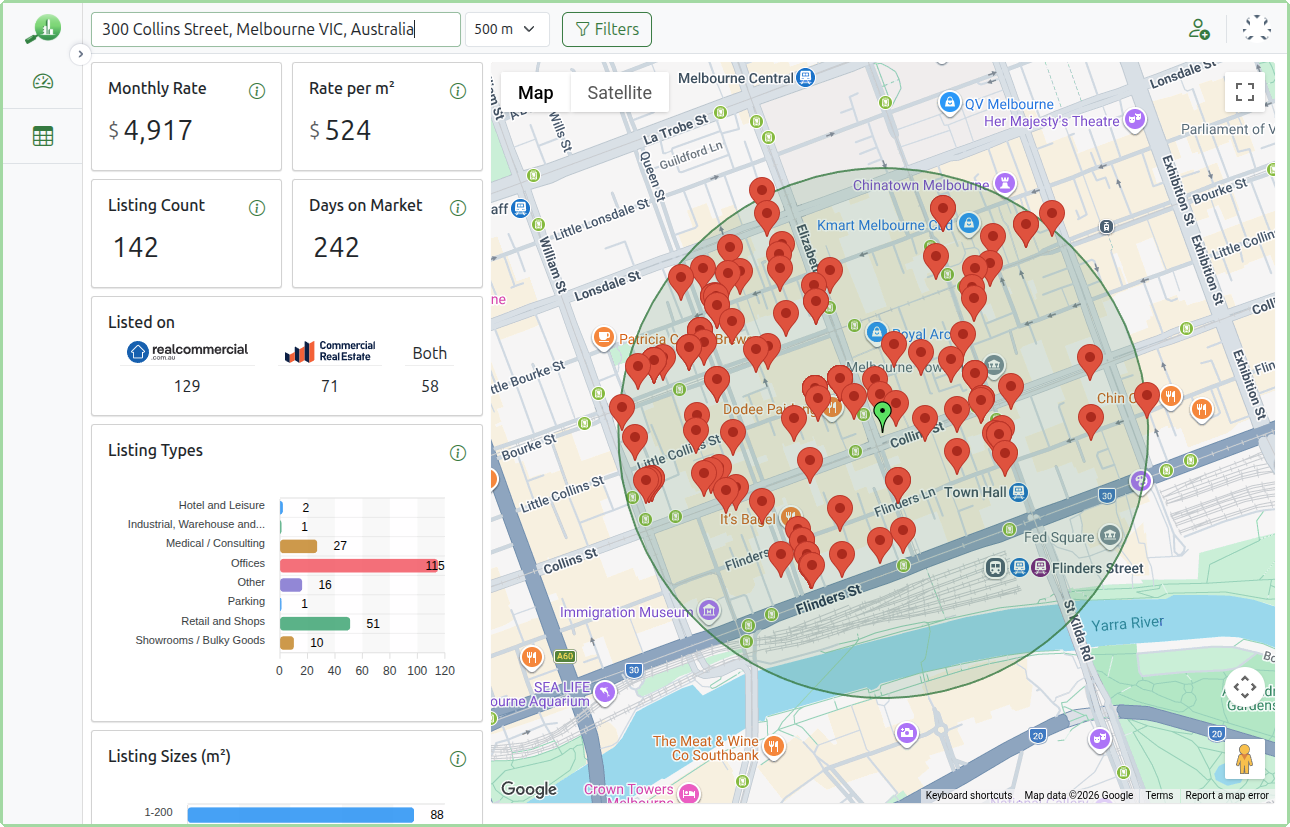
Changing the Search Radius
When you search by address a radius selector appears next to the Search Box. You can choose how far around the address to search, from 250 m up to 5 km (the default is 1 km). Here we narrow the search to 250 m to focus on the immediate blocks, and the map, statistics and listings update instantly.
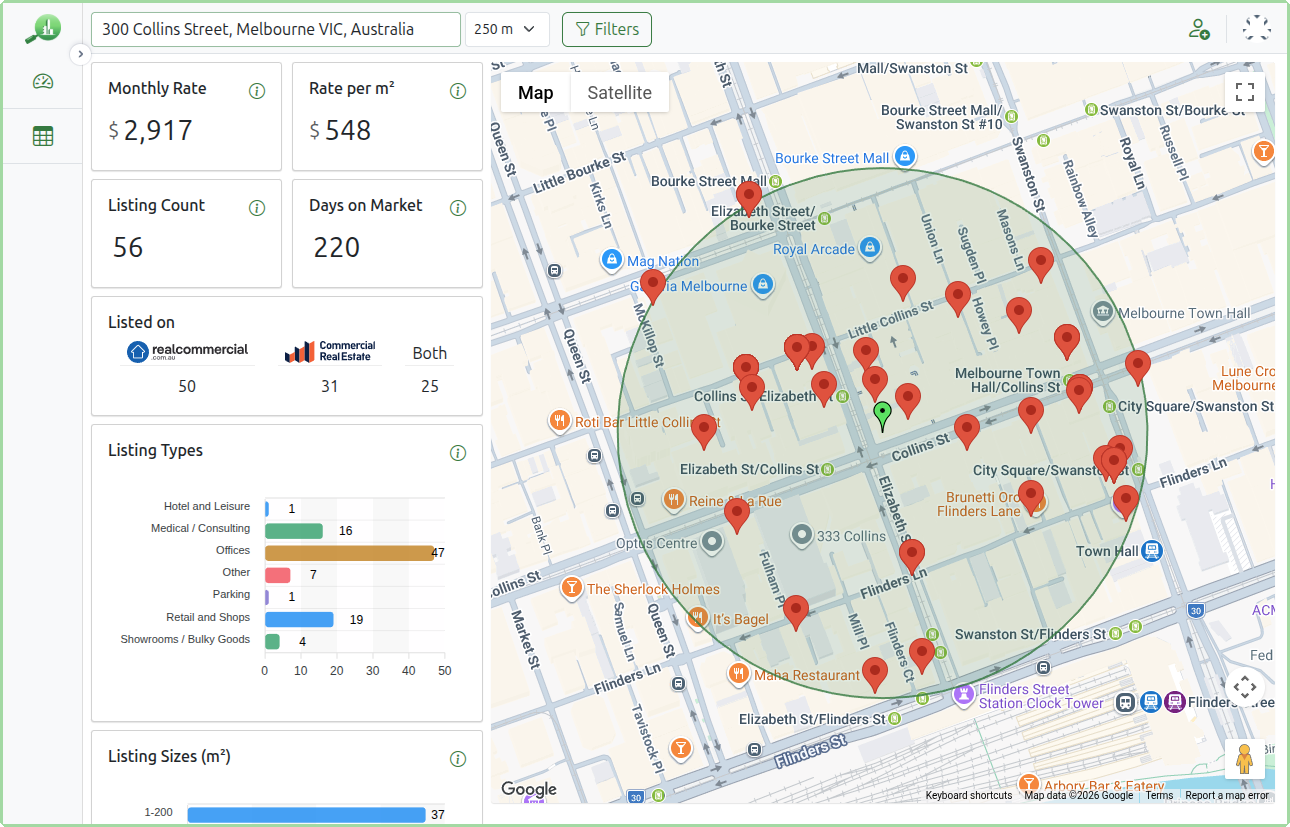
Everything else works exactly the same as a suburb search: the Filters menu, the listings grid and the tabular view all apply to the listings within your chosen radius, and your search carries across the Dashboard and Listings pages.
Summary
With MarketBuddy’s easy search, you can quickly find listings that fit what you’re looking for. Whether you’re doing a market review or comparing prices, just use the simple suburb search, or an address search with your chosen radius, and filters to narrow down your options. This helps you focus on the listings that matter most and make better decisions, faster.