New Subscriptions
This section provides information about signing up to MarketBuddy and using promo codes.
MarketBuddy is a subscription based platform with subscription plans tailored to user needs.
New standalone accounts are automatically enrolled in a 14-day trial which allows access to all MarketBuddy data nationwide. Users invited to an organisation use that organisation's access instead. Upon completion of the trial users are still able to access MarketBuddy however certain data points will be locked requiring an active subscription to access these data points.
There are currently 3 plans available with detailed pricing on our Pricing Page. These include:
- 7-Day Data Pass: this plan is designed for users needing to do occasional market research and does not require an ongoing subscription. A one time payment will give you access to data for a selected Australian State for 7 days.
- State Plan: a monthly subscription plan that will give you access to a selected Australian State for a flat monthly fee. The plan includes a single user with extra users charged on the per user per month basis.
- Country Plan: designed for larger agencies that require access to nationwide data across all Australian states. This plan includes three users and API access. Additional users are charged per user per month.
MarketBuddy also offers corporate level subscriptions which can be custom tailored to your organisation. Should you require such access, please reach out to us via the Support Portal.
Setting up a new subscription
The easiest way to set up a new subscription is via the User Menu. Click your avatar on the right in the top navigation bar.
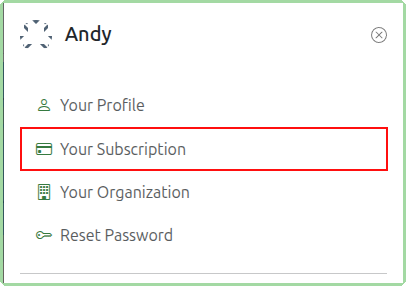
Then click the Your Subscription item in the menu that slides out.
The resulting page will give you a list of your existing subscriptions as well as a section of available plans which you can subscribe to.
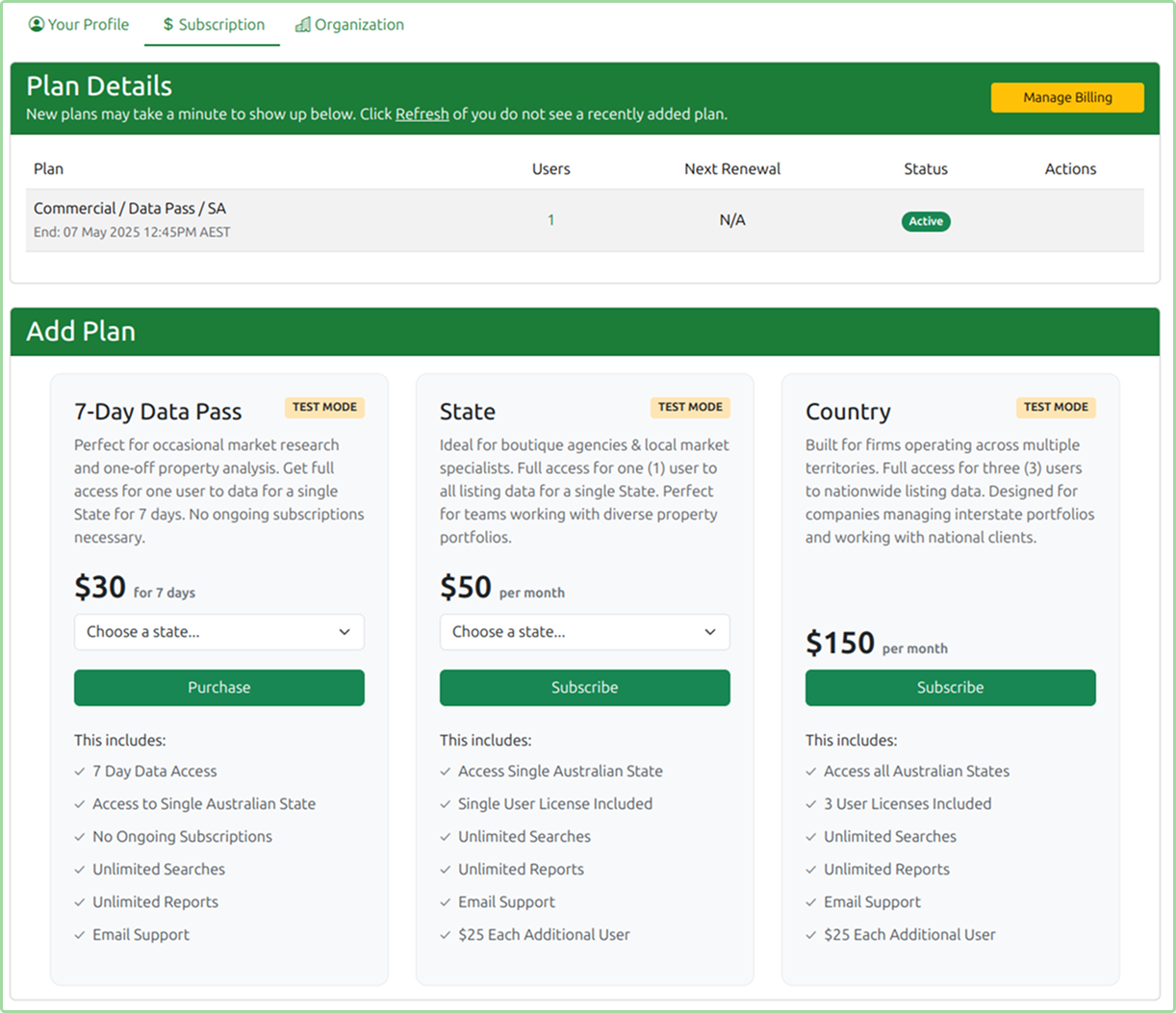
When selecting either a 7-Day Data Pass or State plans please make sure you carefully select the correct Australian state that you need access to.
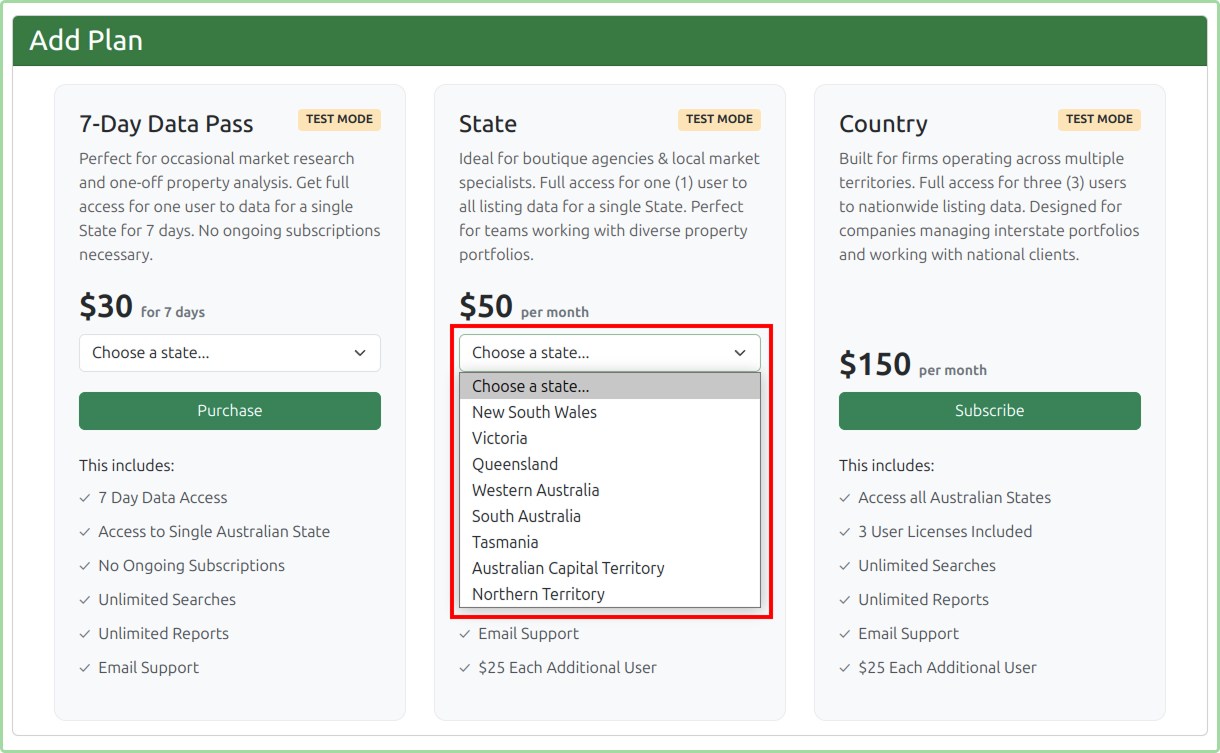
If you select the wrong state, contact us through the Support Portal so the team can help correct it.
Once you have made the relevant selections, click Purchase for a 7-Day Data Pass or Subscribe for a State or Country plan. You will then be taken to the payment page.
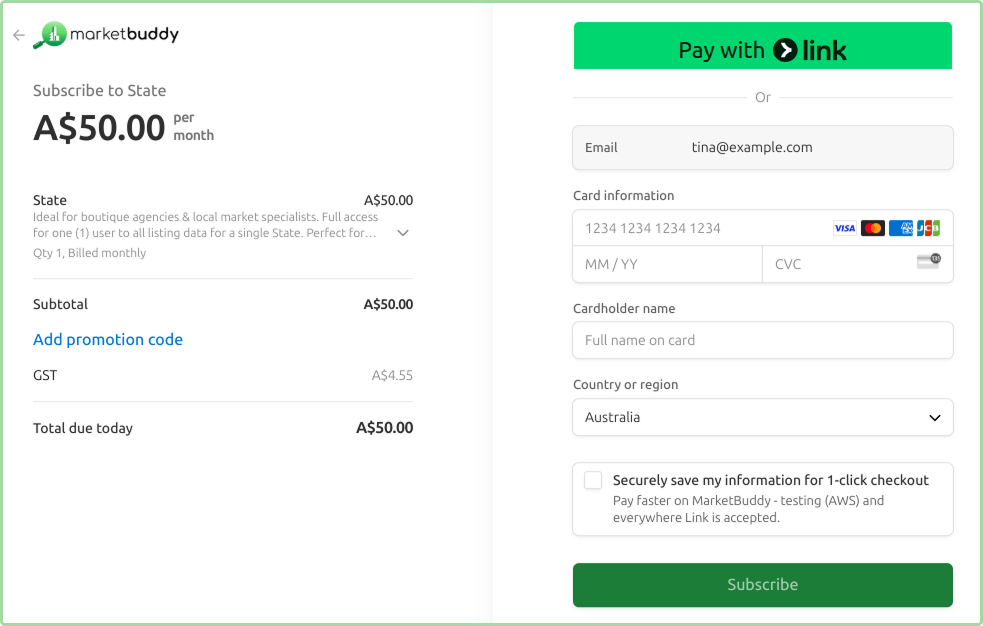
Using Promo Codes
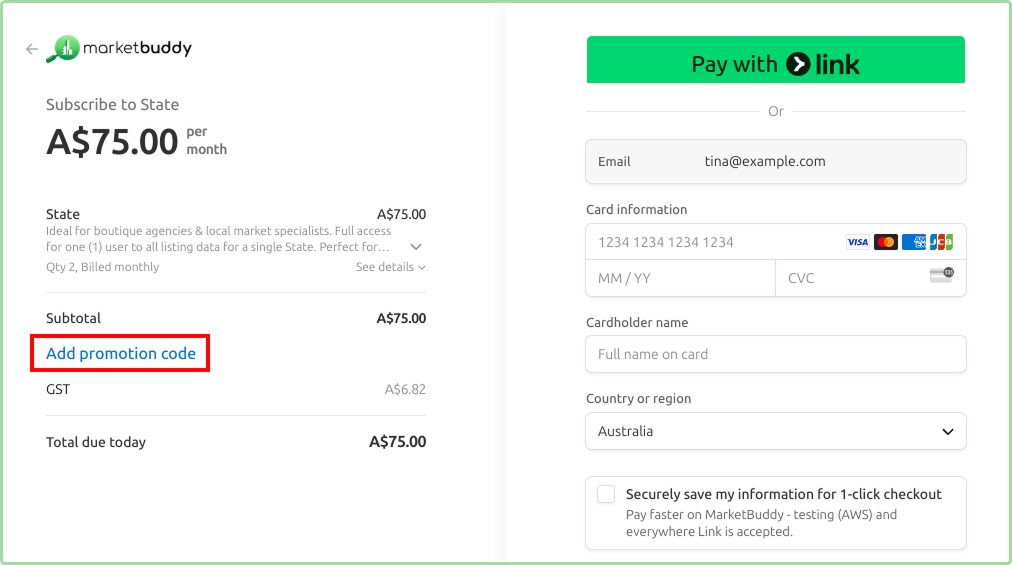
If you have received a promo code for your subscription you will need to enter it during the payment process. Please use the Add promotion code link to enter your Promo Code.